[Dandelions Café] What Makes a Company One I’d Want to Stay With

What is Dandelions Café?

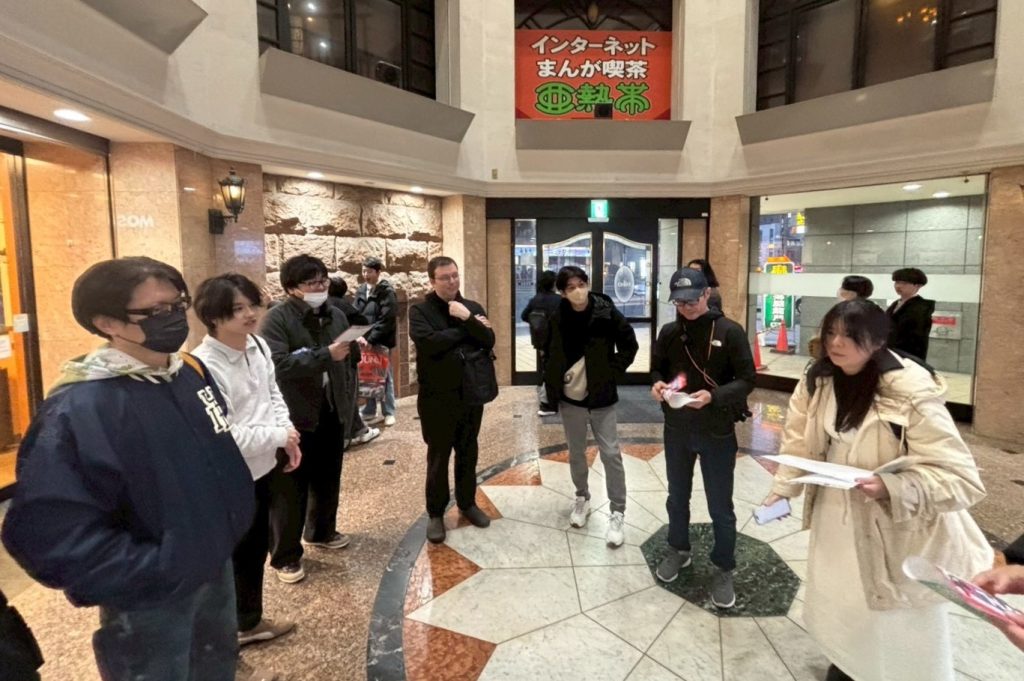
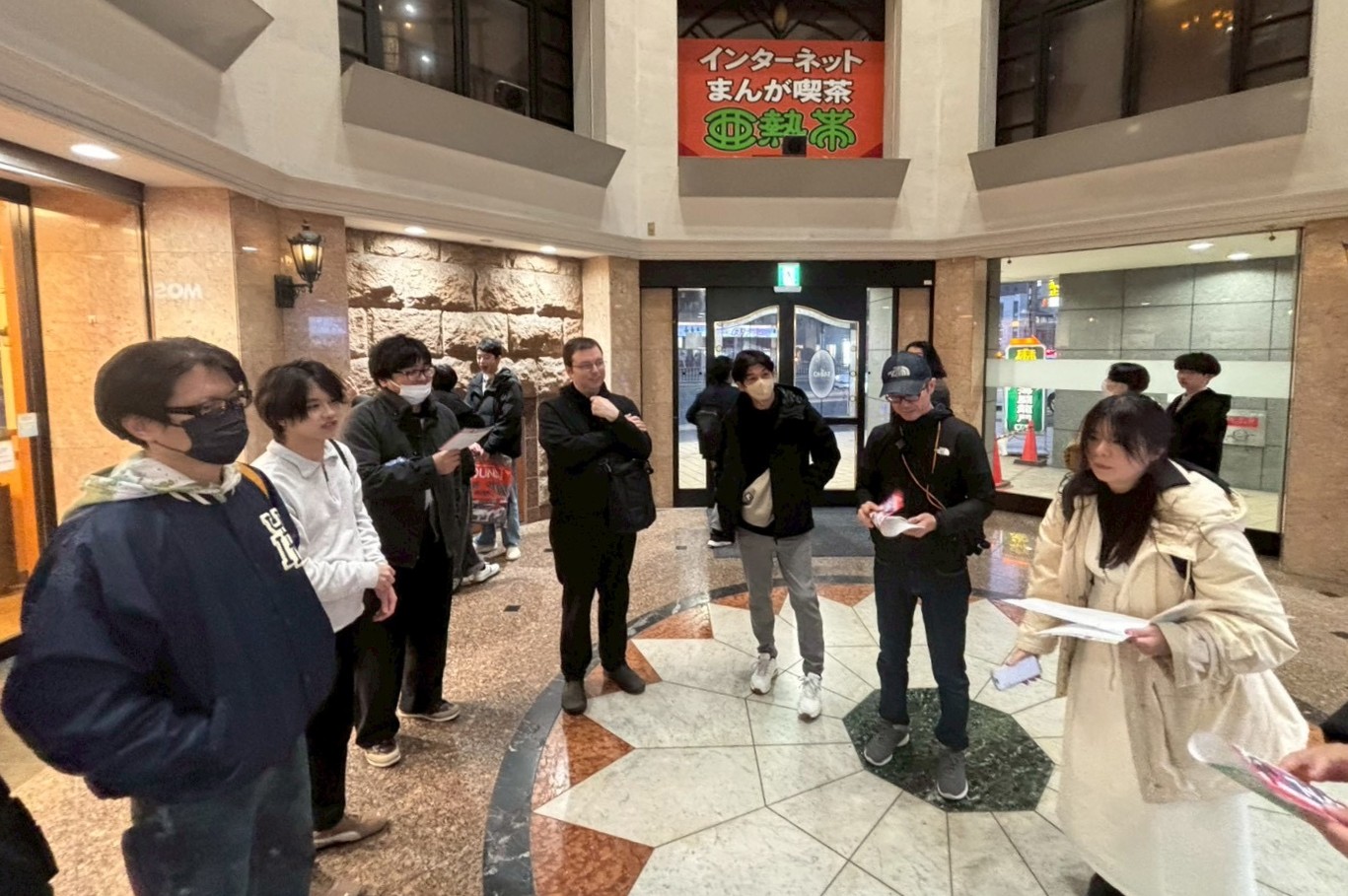
At Dandelions, we regularly hold communication events to deepen mutual understanding among team members and build stronger collaboration.
These events and discussions take place in a relaxed, café-like atmosphere that transcends departments and job titles—just like chatting over coffee. That’s why we call this initiative “Dandelions Café.”

This time, the theme was “What Makes a Company One I’d Want to Stay With.”
Teams spent about two hours researching and discussing the topic, followed by presentations from each group.

Ideas born from diverse perspectives

Through the presentations, we got a glimpse into how each member views the company in their daily work and what they truly think.
The opinions stood out in two main categories: an active perspective, focusing on how we can contribute to the company’s growth, and a passive perspective, reflecting what kind of environment we expect from the company to keep working there.

Opinions from an active perspective

  • Opinions that reflect an awareness of the types of talent and actions needed for the company’s growth
  • such as creating systems—like organizing manuals—that prevent workload from being concentrated on specific employees

These reflected the perspectives of team members who are clearly mindful of the organization’s overall dynamics in their daily work.

Opinions from a passive perspective

  • Adequate salaries to keep up with rising living costs
  • Enhanced employee benefits such as transportation and housing allowances
  • Expansion of remote work options

The desire for a comfortable and secure work environment left a strong impression.

There were also some unique ideas!

  • Lavish rewards for perfect attendance each month
  • A system that allows employees to bring their pets to work

Some suggestions aimed at making the company atmosphere more enjoyable brought smiles to our faces.

A discussion that led to new insights and learning

Through this theme, we discovered just how much perspectives can differ depending on one’s role and experience—even within the same company.
It felt like a valuable opportunity for both leadership and younger team members to understand each other’s ways of thinking.

Differences in opinions can sometimes appear as gaps, but looking at it another way, they’re simply different expressions of the same desire—to make the company even better.
This discussion offered valuable insights for Dandelions to continue growing and evolving.

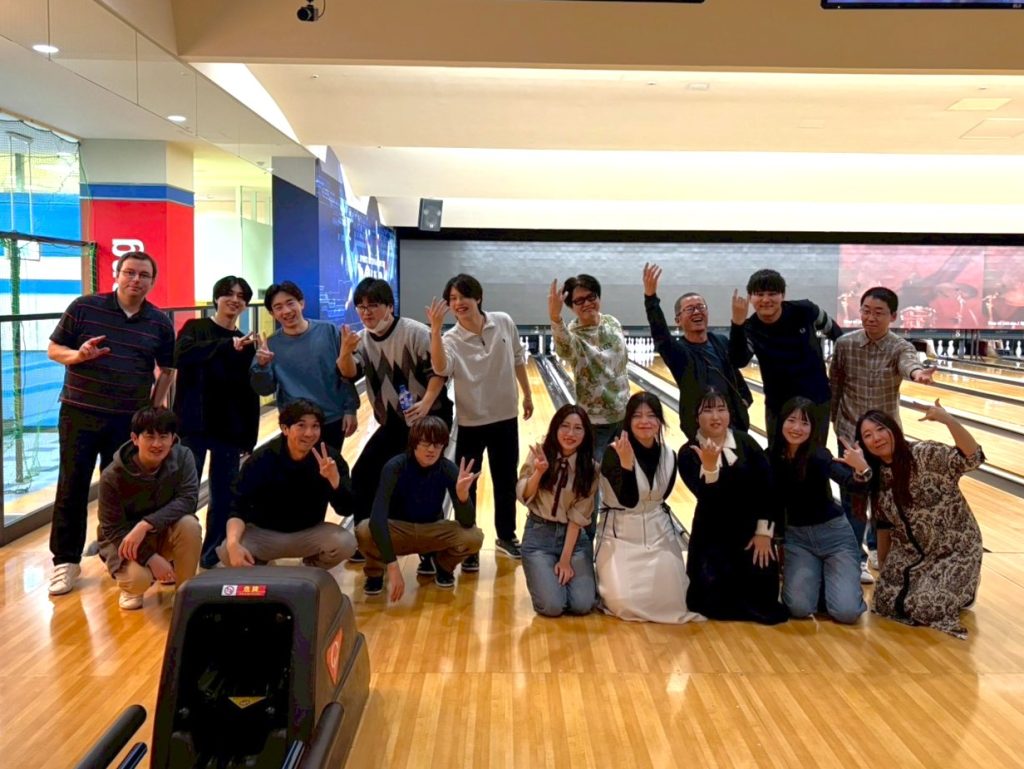
After the discussion, we had our usual social gathering.

At Dandelions, we’ll continue to value open dialogue across all roles and positions, as we work together to create a company that’s not only easier to work in, but also a place where everyone can grow even more.

Stay tuned for our next blog post!

【ダンデライオンズカフェ】自分が続けたいと思える会社の特徴について

ダンデライオンズカフェとは

ダンデライオンズでは、メンバー同士の相互理解を深め、より良い協力関係を築くことを目的に、コミュニケーションイベントを定期的に開催しています。
イベントやディスカッションは部署・役職の枠を越えて、まるで“カフェで語り合う”ようなカジュアルな雰囲気で行われるため、私たちはこの取り組みを 「ダンデライオンズカフェ」 と呼んでいます。

今回のテーマは 「自分が続けたいと思える会社の特徴」
チームに分かれて約2時間の調査・ディスカッションを行い、その後、各チームがプレゼンテーションを実施しました。

さまざまな視点から生まれた意見

プレゼンテーションでは、メンバー一人ひとりが普段どのように会社を見ているのか、その思いを知ることができました。
意見は大きく分けると、「会社の成長に向けて自分たちがどう関わるか」を考える 能動的な視点 と、「働き続ける上で会社にどのような環境を期待するか」という 受動的な視点 の二つが印象的でした。

能動的な視点の意見

  • 会社が成長していくために、どのような人材や行動が求められるかを意識した意見
  • 手順書の整備などにより、特定の社員に負荷が集中しない仕組みづくり

これらは、日頃から組織全体の動きを意識しているメンバーらしい視点でした。

受動的な視点の意見

  • 物価高に対応した十分な給与
  • 交通費、住宅手当などの福利厚生の充実
  • リモートワークの拡充

「働きやすさ」や「安心できる環境」を求める声が印象的でした。

その他、ユニークなアイデアも!

  • 毎月皆勤賞に豪華景品を贈呈
  • ペットと一緒に出勤できる制度

会社の雰囲気づくりをより楽しくする提案として、思わず笑顔になる意見もありました。

気づきと学びにつながったディスカッション

今回のテーマを通じて、同じ会社にいても、立場や経験によってこんなにも視点が変わるのかという発見がありました。
経営層にとっても若手メンバーにとっても、お互いの考え方を知る貴重な機会になったと感じています。

意見の違いは、ときにギャップとして現れますが、裏を返せば 「会社をもっと良くしたい」という思いが、形を変えて表れている ともいえます。
今回の話し合いは、ダンデライオンズがより成長していくための大きなヒントになりました。

ディスカッション後は恒例の懇親会

これからもダンデライオンズでは、立場に関係なく意見を交わせる場を大切にしながら、
「もっと働きやすく、もっと成長できる会社」づくりを進めていきます。

次回のブログもどうぞお楽しみに。

Engineer Blog: Generating PDFs Using Ultimate PDF in OutSystems

As part of our engineer blog, we’d like to share what we’ve been learning day by day.
This time, it’s Team 2, focusing on low-code development.

This Time’s Theme: ‘PDF Output Using Ultimate PDF

This time, we’ll show you how to export screen data within OutSystems as a PDF.

What is Ultimate PDF?

Ultimate PDF is one of the Forge components available in OutSystems. It allows you to export web pages (HTML + CSS) as PDFs.
For example, you can generate PDFs of formatted content like invoices, reports, business cards, and forms.

Installing Ultimate PDF

Launch Service Studio, search for ‘Ultimate PDF’ via Browse Forge, and install it.

Adding References to the Module

Open the module you want to use, go to Manage Dependencies (CTRL+Q), select the necessary elements from Ultimate PDF, and click the Apply button.
(This time, we selected PrintLayout, HideOnPrint, and PrintToPDF_Advanced.)

Descriptions of each element are as follows.

PrintLayout: A layout template used to optimize screens for printing or PDF output.

HideOnPrint: A CSS class (style setting) for screen design that, as the name suggests, hides specific elements during printing.

PrintToPDF_Advanced: An advanced function that allows for more detailed settings when converting HTML screens (web pages) into PDFs.

Creating a Screen for Output

To create a screen for output, follow the same steps as when creating a regular Screen. Place ‘PrintLayout’ on the screen and design the layout you want to export as a PDF.

For any text you don’t want to appear in the PDF output, add ‘HideOnPrint’ to the screen and place the text inside it.

Creating a Server Action for PDF Output

This time, we’ll place an output button on the screen we created earlier and set up a Server Action that triggers a download when the button is pressed.

The properties for each action are as follows
・PrintToPDF_Advanced: Under Action, set the URL of the screen you want to export (in this case, we’re using the current screen’s URL), the PDF page size, and the PDF margins.

*We didn’t use it this time, but in Environment, you can finely control HTML rendering methods, wait conditions, and CSS application settings.

・Download: Under Action, set the return value from PrintToPDF_Advanced and the name of the PDF.

Here is the PDF we actually generated.

*Text that wasn’t meant to be output has been removed.

Important Notes

・Be careful when choosing between Client Action and Server Action. Since PDF generation is generally handled on the server side, calling it from a Client Action by mistake may result in it not working properly.

・Always enclose the FileName in double quotation marks (“”).If not specified like \”Test.pdf\”, it will result in an error

・Screens with a large amount of information are more likely to time out. If there are many tables or images, PDF generation may take longer.

Summary

In this article, we introduced how to generate PDF files from OutSystems using Ultimate PDF.
Since it can also output images and graphs, be sure to try it out in apps that generate reports or forms.
Team 2 will continue to share technical blogs using low-code tools like OutSystems, so stay tuned!

技術者ブログ:(OutSystems)Ultimate PDFを使ったPDF出力

技術者ブログとして日ごろ取り組んでいる学習内容をご紹介します。
今回は、ローコード開発をテーマにしているチーム2です。

今回のテーマ:『Ultimate PDFを使ったPDF出力』

今回はOutSystems内にある画面データをPDFとして出力する方法をご紹介します。

Ultimate PDFとは

OutSystemsに搭載されているForgeコンポーネントのひとつで、
Webページ(HTML+CSS)をPDFとして出力できます。
例えば、請求書・報告書・名刺・帳票などレイアウトされた内容をPDF化できます。

Ultimate PDFのインストール

Service Studioを起動しBrowse Forgeより”Ultimate PDF”で検索してインストールを行います。

モジュールへの参照追加

利用したいモジュールを開き、Manage Dependencies(CTRL+Q)よりUltimate PDFの要素を必要な分選択しApplyボタンをクリックします。
(今回はPrintLayout、HideOnPrint、PrintToPDF_Advancedを選択しました)

各要素の説明は以下の通りです。

・PrintLayout …”画面を印刷やPDF出力に最適化するためのレイアウトテンプレート” です。

・HideOnPrint …画面デザインで使えるCSSクラス(スタイル指定)のひとつで、その名の通り「印刷時に非表示にしたい要素」に付けるための機能です。

・PrintToPDF_Advanced …HTML画面(Webページ)をより細かく設定してPDF化できる拡張版の関数です

出力用の画面の作成

出力用の画面を作るときですがScreenを作る時と同じ要領で作成します。
画面に”PrintLayout”を配置しPDF出力したい画面を作成します。

PDF出力する際に出力されてほしくない文字は”HideOnPrint”を画面に追加しその中に文字を入力します。

PDF出力用のSever Actionの作成

今回は上記で作成した画面に出力ボタンを配置し押下時にダウンロードするServerActionを作成します。

各アクションのプロパティは以下の通りです。
・PrintToPDF_Advanced…Action>出力したい画面のURL(今回は現在の画面URLを取得しています)、PDFの画面サイズ、PDFの余白をそれぞれ設定します。

※今回は使っていませんがEnvironmentではHTMLの描画方法・待機条件・CSS適用方法などを細かく制御できます。

・Download…Action>PrintToPDF_Advancedの戻り値、PDFの名前をそれぞれ設定します。

実際に出力したPDFはこちら

※出力したくない文字は消えている

注意事項

・Client Action と Server Action の使い分けに注意。
PDF生成は基本的にサーバー側で行うため、誤って Client Action から呼び出すと正しく動作しない場合があります。

・FileName には必ずダブルクォーテーション(””)を付ける。
"Test.pdf" のように指定しないとエラーになります。

・画面の情報量が多いとタイムアウトしやすい。
テーブルや画像が多いと生成に時間がかかります。

まとめ

今回はUltimate PDFを使ってOutSystemsからPDFファイルを出力する方法をご紹介しました。
画像やグラフなども出力できますので帳票やレポート出力を行うアプリでぜひ活用してみてください。
チーム2ではこれからもOutSystemsなどのローコードツールを使った技術者ブログを展開していきますのでお楽しみに!

August 2025 Internship Experience

In August, we hosted an internship program at our company, with two Japanese students and one international student participating.
This time, we would like to introduce the three participants.

Japanese students(Male)

I recently had the opportunity to participate in the Dandelions summer internship program.
This was my first internship ever, and I was nervous, but I was warmly welcomed.

During this internship, I had the opportunity to experience three main areas of work.
On the first day, we decided on the content and text patterns for LINE stickers, which also served as a team icebreaker. All team members freely shared their opinions, and we were able to proceed with discussions while keeping the end users in mind.

On the second day, I had the opportunity to experience system testing. Even inspecting just one feature of a website involved a considerable amount of work, requiring intense concentration and perseverance. It made me truly appreciate the difficulty of the actual job.

On the third day, we created a web design for a festival in the Tokai region. Since it was intended for an international audience, we divided the work between writing the introduction and handling the translation. We also decided on the site layout ourselves, making it a rather interesting project.

This internship provided me with a valuable experience, allowing me to learn about aspects of working life and business etiquette such as exchanging business cards.

Japanese students(Male)

I would like to express my gratitude for the opportunity to participate in the internship program at Dandelions Inc.

On the first day, we mainly worked on “creating LINE stickers” and “writing self-promotion statements.”
Regarding the LINE sticker creation, I found it enjoyable to brainstorm ideas with students’ daily usage in mind and felt motivated to engage enthusiastically.
Regarding the self-promotion statement writing, while I found creating the mind map challenging, I also genuinely felt it made writing the promotional text easier.

On the second day, we primarily focused on “business card exchange/system testing.”
Regarding the business card exchange, although I had no prior knowledge of the basic procedures, thanks to the thorough explanations, hands-on practice, and advice provided, I felt I was able to grasp the process smoothly.
Regarding the system testing, while the task of documenting evidence was challenging, it also provided a sense of accomplishment.

On the third day, we mainly focused on “Market Research/Web Design Experience.”
Regarding the market research, I realized that finding and transcribing the desired information for the theme of Tokai festivals was more difficult than I had imagined.
Regarding the web design experience, although I had never used WordPress before, I found it to be a very easy-to-use and convenient tool once I got used to it.

Myanmar international students(Female)

I attended a company information session held by Global Aichi, became interested, and participated in an internship at Dandelions Inc. The internship lasted five days, from August 18th to 22nd.
On the first day, we created LINE stickers. We send LINE stickers to friends, colleagues, and family, using them almost daily. However, I think few people have ever considered how LINE stickers are actually made. To be honest, I hadn’t either.

On the second day, we experienced testing, and on the third day, we experienced website design. For both the testing and website design experiences, we first received an explanation and then practiced. Through experiencing testing and website design, I realized that concentration and organization are indeed crucial in the IT industry. We were also taught business etiquette, including exchanging business cards, and practiced it.

Every day I studied new things, discussed with everyone, and worked on tasks. Through the internship, I learned that new things should be challenged, and the importance of planning and teamwork. I’m glad I participated in the internship.

2025年8月インターンシップ体験談

8月に当社でインターンシップを行い、日本人学生2名、外国籍留学生1名に参加いただきました。
今回は参加いただいた3名の方を紹介いたします。

日本人学生(男性)

この度、ダンデライオンズの夏季インターンシップに参加させていただきました。
私はこれが人生初のインターンシップで不安だったのですが、温かく迎え入れていただきました。

今回のインターンシップでは大きく分けて三つの内容を体験させていただきました。
初日はチームのアイスブレイクもかねて、LINEスタンプの内容と文字の柄を決めました。チームメンバー全員が忌憚なく意見を出し合い、使用するお客様のことも考えたうえで話し合いを進めることができました。

二日目にはシステムテストの体験をさせていただきました。あるサイトの機能の一つだけを検査するにもかなりの量があり、集中力と根気が必要な業務でした。実際の業務の大変さを思い知ることになりました。

三日目には東海地方のお祭りに関してのWebデザインを作らせていただきました。海外の方に向けて発信するものだったので、紹介文の記述と翻訳作業を分担して行いました。サイトのレイアウトなども自分たちで決めたのでなかなか面白い仕事でした。

今回のインターンシップでは、社会人の仕事の一端と、名刺交換などのビジネスマナーを学ぶことができ、とても良い経験をすることができました。

日本人学生(男性)

この度は、株式会社ダンデライオンズ様のインターンシップに参加させて頂きました。

1日目は主に「LINEスタンプ作成/自己PR作成」に取り組みました。
LINEスタンプ作成の感想として、学生の日常使いを意識して案を出していく作業が楽しく、意欲的に取り組むことが出来たと感じました。
自己PR作成の感想として、マインドマップ作成に難しさを感じましたが、PR文章が書きやすくなったのも実感することが出来ました。

2日目は主に「名刺交換/システムテスト」に取り組みました。
名刺交換の感想として、基本動作を何も知らない状況でしたが、丁寧な説明・実践・アドバイスのおかげで、スムーズに理解することが出来たと感じました。
システムテストの感想として、エビデンスを残す作業は大変でしたが、同時に達成感も得ることが出来ました。

3日目は主に「市場調査/ウェブデザイン体験」に取り組みました。
市場調査の感想として、東海の祭りというテーマに対して、欲しい情報を探し文字に起こすことが、思っているよりも難しいと実感することが出来ました。
ウェブデザイン体験の感想として、WordPressは今まで触ってきませんでしたが、慣れるととても使いやすく便利なツールだと感じました。

ミャンマー人留学生(女性)

私はGlobal Aichiが行った会社説明会に参加して興味を持ち、株式会社ダンデライオンズのインターンシップに参加しました。インターンシップは8月の18日から22日まででの五日間でした。
一日目は、Lineスタンプを作りました。私たちはラインスタンプを友達、同僚、家族に送って、ほぼ毎日使っています。しかし、Lineスタンプがどのように作られているかを考えたことがあるひとは少ないと思います。実際に私も考えたことはなかったです。

二日目はテスト体験をして、三日目はウェブサイトデザイン体験をしました。テストとウェブサイトデザインの体験は、まず説明を受けて、実践しました。テストやウェブサイトデザインを体験したことによって、IT業界はやはり集中力と整理することが重要であることが分かりました。また、ビジネスマナーとして名刺交換についても教えてもらい、実践しました。

毎日新しいことを勉強し、皆と話し合い、作業を行いました。インターンシップを通じて、新しいことは挑戦するべきであること、計画やチームワークの重要性を学びました。インターンシップに参加して、よかったです。

Announcement: November In-House Contest!!

At Dandelions, we hold an annual reporting session every November to share our activities from the past year. Each team gives a presentation, and team evaluations are conducted by the representatives.

The goals for each team in the 8th term are as follows.

Team0

  1. Rental Room Reservation System Template Creation
    ・Create a reservation system template utilizing the expertise gained from working with a national university and Famulcare
    ・Use the template to build a reservation system for Famulcare
  2. Web Design
    ・Transfer the operation and maintenance of the Dandelions website to internal team members
    ・Respond to requests related to the News API
    ・Research web design trends
  3. Cloud / Security
    ・Operate AWS and X Server
    ・Rebuild the office network
    ・Consider internal PC security measures

Team1

  1. API Functionality (Information Sharing: Chatbot Integration)
    ■ Chatbot-like functionality using a combination of ChatGPT and OutSystems
    ・Inquiries about how to use internal systems and company rules
    ・Inquiries for code reviews and test pattern checks

Team2

  1. Full Deployment of Internal Systems → Gaining Experience in Operation and Maintenance
    ■ Responding to internal systemization requests
    ・Updating the work management sheet
    ・Client management functionality
    ・Project and personnel information management functionality
  2. Evaluation of Other Low-Code Tools
    ■ Currently using only OutSystems, so exploring new tools based on trends

Summary

Although we report on our regular monthly tasks, the in-house contest in November is a valuable opportunity to hear about the internal projects and team activities we’ve been working on throughout the year.
Last year, I participated in the year-end reporting session for the first time, and it was a great chance to see the full scope of team activities that we don’t usually get to observe. I’m really looking forward to seeing what the 8th term’s reporting session will bring!

The reporting session details are scheduled to be shared around late January 2026.
Stay tuned!!

11月社内コンテスト告知!!

ダンデライオンズでは、1年間活動したことについて毎年11月に報告会を実施します。
各チームごとに発表し、代表者によりチームの評価が行われます。

第8期の各チーム目標は下記となります。

チーム0

  1. レンタルルーム予約システムのテンプレート作成
    ・国立大学さん、ファムルケアのノウハウを活かし、予約システムのテンプレートを作成
    ・テンプレートを使用し、ファムルケアと予約システムを作成
  2. WEBデザイン
    ・ダンデライオンズサイト運用保守を社内メンバーへ引継ぎ
    ・ニュースAPIの要望対応
    ・WEBトレンド調査
  3. クラウド/セキュリティ
    ・AWS、Xサーバー運用
    ・オフィスネットワークの再構築
    ・社内PCセキュリティ対策の検討

チーム1

  1. API機能(情報共有:チャットボット追加)
    ■チャットボット的な機能でChatGPTとOutSystemsの組み合わせ
    ・社内システムの利用方法やルールを問い合わせたら
    ・コーディングチェックやテストパターンチェックを問い合わせる

チーム2

  1. 社内システムの本運用対応→運用・保守の経験
    ■社内システム化のリクエスト対応
    ・勤務管理表のアップデート
    ・客先管理機能
    ・案件情報/要員情報管理機能
  2. その他のローコードツール検証
    ■OutSystemsだけとなっているので、トレンド等から新たなツールを検証

まとめ

毎月通常業務の報告はしていますが、11月の社内コンテストでは1年かけて取り組んできた社内業務(チーム活動)を聞くことができる貴重な機会です。
私は昨年、初めて期末報告会に参加し、普段はなかなか見ることができないチーム活動の全貌を知ることができ、とてもいい機会になりました。第8期はどんな報告会になるか楽しみです!

報告会の内容は、2026年1月下旬ごろお届け予定です。
お楽しみに~!!

Engineer Blog-AI Utilization~From the era researched in books to the shock of SORA2~

As an engineer’s blog, I’d like to share what I’m learning on a daily basis.
This time, I’ll introduce the popular video generation tool Sora2.

■ From Books to AI──The Evolution of Information Retrieval

In the old days, learning a skill meant frequenting bookstores and libraries. It was an era of poring over thick technical manuals and taking time to understand them. Then the spread of the internet gave birth to a culture of “searching,” and soon “Googling” became commonplace.
And now—
People have entered the era of “asking AI.”
In just a few decades, our relationship with knowledge has evolved this far.

■ How are you all using it?

Many people have tried out AI tools like ChatGPT, image generation AI, and voice synthesis tools. At Dandelions Japan, we’re already leveraging AI for video production for e-commerce sites. By incorporating AI-assisted video generation, we’ve significantly improved production costs and speed. AI is no longer just “research”—it’s become a “tool for the field.” And its adoption will only accelerate from here.

■ The Impact of SORA2’s “Life-Like Videos”

OpenAI’s “SORA2” is a technology that generates realistic videos from text. It has reached a level where it can create footage of people speaking and moving naturally from a single still image.
For example,
 ・A speech video that does not actually exist
 ・Unfilmed “dance” scenes
 ・A video that seems to speak to you, based on photographs of the deceased
──These can be generated with just a few lines of text.
Technologically astonishing, yet simultaneously highlighting issues of copyright and portrait rights. “Even though it’s based only on the person’s image, a video that looks exactly like them is generated.” The boundary between reality and virtuality is becoming more ambiguous than ever before.

■ How to Leverage AI Videos?

When used correctly, this technology opens up endless possibilities for creativity.
 ・Historical Reenactment in Education and Museum Fields
 ・Sign language and language learning support
 ・Streamlining Product Introduction and Advertising Videos
 ・Artist Virtual Appearance
We are also gradually incorporating AI-generated content into product description videos and promotional footage on our e-commerce site, Dandelions Japan.

Video uploaded to the official website

■ Three Proposals for Effective Utilization

  1. Subject to the consent of the individual or creator
    AI-generated content must prioritize obtaining consent from the rights holders of the source material.
  2. Disclose the generation of content
    By explicitly stating “This video was generated by AI,” we maintain transparency and trustworthiness.
  3. Limited to use for educational, research, and expressive purposes
    Not for the purpose of faking, but solely as a “creative assistive technology.”

■ Summary: AI’s value changes based on “who uses it and how”

AI technology is evolving daily. “Hyper-realistic videos” like SORA2 expand creative possibilities while demanding new ethical frameworks for society as a whole. What’s required of us creators and businesses isn’t choosing “not to use” it, but adopting an attitude of designing “how to use it.” Rather than fearing AI, we should strive to understand it correctly and explore ways to utilize it for the future’s benefit.

Well then, stay tuned for the next blog post.

技術者ブログ-AIの活用~書籍で調べた時代からSORA2の衝撃まで~

技術者ブログとして日ごろ取り組んでいる学習内容をご紹介します。
今回は話題の動画生成ツールSora2の紹介です。

■ 書籍からAIへ──情報探索の進化
昔、技術を学ぶといえば本屋や図書館に通うものでした。分厚い専門書を読み込み、時間をかけて理解する時代。そこからインターネットの普及で「検索する」文化が生まれ、やがて“ググる”が当たり前に。
そして今──
人々は 「AIに聞く」 時代に突入しました。
たった数十年で、私たちの知識との付き合い方はここまで進化しています。

■ 皆さんはどう活用していますか?
ChatGPTや画像生成AI、音声合成ツールなど、「AIを触ってみた」という人は多いでしょう。私たち Dandelions Japan でも、ECサイト向けの動画制作にすでにAIを活用しています。映像生成の補助を取り入れることで、制作コストとスピードを大幅に改善しています。AIはもはや“研究”ではなく、“現場のツール”になりました。そして、今後はさらにその活用が加速していくでしょう。

■ SORA2がもたらす「本物そっくり動画」の衝撃
OpenAIが開発する 「SORA2」 は、テキストからリアルな動画を生成する技術です。静止画1枚から人物が自然に話したり、動いたりする映像を作れるレベルに到達しました。
たとえば、
 ・実際には存在しない“演説”動画
 ・撮影していない“ダンス”シーン
 ・亡くなった人物の写真をもとに“語りかける”ような映像
──これらが、ほんの数行のテキストで生成可能です。
技術的には驚異的ですが、同時に 著作権・肖像権の問題 が浮き彫りになっています。「本人の画像を元にしただけなのに、本人そっくりの映像が生成されてしまう」。現実と仮想の境界が、かつてないほど曖昧になってきています。

■ AI動画をどう活かすか?
この技術を正しく使えば、クリエイティブの幅は無限に広がります。
 ・教育・博物館分野での歴史再現
 ・手話や言語学習支援
 ・商品紹介・広告ムービーの効率化
 ・アーティストのバーチャル出演
私たちのECサイト「Dandelions Japan」でも、商品説明動画やイメージ映像に、AI生成を段階的に取り入れています。

公式サイトにアップロードされた動画

■ 有用的な活用のための3つの提案
 1.本人・制作者の同意を前提とする
  AI生成物は「素材の権利者の同意」を第一に考える。
 2.生成コンテンツの明示を行う
  「この映像はAIで生成されています」と明示することで、透明性と信頼性を保つ。
 3.教育・研究・表現のための活用に限定する
  フェイクを目的とせず、あくまで“創造的な支援技術”として使う。

■ まとめ:AIは“誰がどう使うか”で価値が変わる
AI技術は日々進化しています。SORA2のような「本物そっくり動画」は、創造の可能性を広げると同時に、社会全体に新しい倫理の枠組みを求めています。私たちクリエイターや事業者に求められるのは、「使わない」選択ではなく、「どう使うか」を設計する姿勢。AIを怖がるのではなく、正しく理解し、未来にとって“プラスになる活用”を模索していきたいですね。

では、次回のブログもお楽しみに。