Engineer Blog: Creating app icons with CLIP STUDIO PAINT

As an engineer blog, I would like to introduce the learning content that I am working on.
This time, I will introduce how to create app icons using CLIP STUDIO PAINT, a software specialized for illustration and manga production.

About “CLIP STUDIO PAINT”

CLIP STUDIO PAINT is a paid software, and there are mainly three types.
・CLIP STUDIO PAINT EX: For those who want to use it not only for illustrations and web design, but also for manga production.
・CLIP STUDIO PAINT PRO: For those who want to use it not only for illustrations and graphic art, but also for web design, etc., and for those who do not create manga.
・CLIP STUDIO PAINT DEBUT: For those who want to use it only for illustration and graphic art production.

If you would like to know more, please click the link below:
https://www.clipstudio.net/ja/lineup/

The one I use is CLIP STUDIO PAINT EX, so this time I will introduce the functions installed in CLIP STUDIO PAINT EX.

How to create an “app icon”

The icon I created this time is as follows.

I will now introduce the specific production steps.

1. Launching a new canvas
This time, after creating the icon, I was told that I would be resizing it to various sizes and using it, so I prepared it a little larger and with a 1:1 ratio.

2. Design
I used the following tools to create the design.

① Fill in the background with the fill tool
Personally, I wanted to design with the base color + white logo, so I used the background color fill tool to fill the entire canvas with color.

With this fill tool, if something is drawn on the canvas, you may not be able to fill it in the way you want unless you specify settings such as “Refer only to editing layer” or “Refer to other layers”.
This time, since the canvas was blank, this specification was not necessary, so I will omit it.

② Prepare the text that will become the foundation of the design using the text tool
This time, I used the TA Maru Gothic GF03 font, which is provided by default in CLIP STUDIO PAINT.

Fonts downloaded from external sites can also be used within CLIP STUDIO PAINT by clicking [Add font from file] from [Tool properties] under [Text] and selecting the font file you want to add.
*When downloading from external sites, please check if the font can be used commercially before downloading and using it.

➂ Do modifications based on the font prepared in ②
Lower the opacity of the font layer prepared in ② and make changes as shown below.

④ Hide the original font layer
Once the design is complete, hide the original font.
You can delete the layer, but it is useful to have it hidden when changing or retaking the design, so it is convenient to leave it hidden.

3. Save
Even if you save it as is, it will be saved as a CLIP STUDIO PAINT file, so use Save a Copy (or Save As) to change the extension and save it as an image.

That’s all!

Look forward to the next engineer’s blog!

技術者ブログ:CLIP STUDIO PAINTでアプリアイコン制作

技術者ブログとして日ごろ取り組んでいる学習内容をご紹介します。
インフラをテーマにしている第3ユニットです。

今回は、CLIP STUDIO PAINTという、イラストや漫画制作に特化したソフトウェアを使用し、アプリのアイコンを制作する方法について、ご紹介します。

CLIP STUDIO PAINTについて

CLIP STUDIO PAINTは有料のソフトウェアで、主に3種類あります。
・CLIP STUDIO PAINT EX:イラストやWebデザインだけでなく、漫画制作でも使用したい方向け
・CLIP STUDIO PAINT PRO:イラストやグラフィックアートだけでなく、Webデザインなどでも使用したい方向けで、尚且つ漫画制作は行わない方向け
・CLIP STUDIO PAINT DEBUT:イラストやグラフィックアート制作のみで使用したい方向け

更に詳しく知りたい方は以下をご参照ください
https://www.clipstudio.net/ja/lineup/

私が使用しているものが、CLIP STUDIO PAINT EXの為、今回はCLIP STUDIO PAINT EXに搭載されている機能前提でご紹介します。

アプリアイコン制作方法

今回制作したアイコンは以下です。

具体的な制作手順を紹介していきます。

1.新規キャンバスの立ち上げ
今回はアイコンを作成後、様々なサイズにリサイズして使用するとの事でしたので少し大きめで、比率が1:1となるように用意しました。

2.デザインをする
デザインを制作する上で、以下ツールを使用しました。

① 塗りつぶしツールで背景を塗りつぶす
個人的に土台の色+白色のロゴでデザインをしたいため、背景となる色を塗りつぶしツールでキャンバス全体に色を乗せます。

この塗りつぶしツールですが、キャンバスに何か描かれている場合は、「編集レイヤーのみ参照」や「他レイヤーを参照」などの指定をしないと思い通りに塗れないことがあります。
今回は何も描かれてないキャンバスだったため、この指定は必要なかったので割愛します。

② テキストツールでデザインの土台となる文字を用意
今回はCLIP STUDIO PAINTにデフォルトで用意されてるTA丸ゴシックGF03のフォントを使用しました。

また、外部サイトでダウンロードしたフォントも、[テキスト]の[ツールプロパティ]から[ファイルからフォントを追加]を押して、追加したいフォントファイルを選択するとCLIP STUDIO PAINT内で使用することができます。
※外部サイトからダウンロードする際は商用利用可能なフォントか確認してからダウンロードしてご利用ください。

➂ ②で用意したフォントを土台に手を加える
②で用意したフォントのレイヤーの不透明度を下げ、以下のように手を加えていきます。

④元にしたフォントレイヤーを非表示にする
デザインが完成したら元にしていたフォントを非表示にします。
レイヤー削除をしても良いのですが、デザイン変更・リテイクの際にあると便利なため、非表示にして残すと便利です。

3.保存
このまま保存をしてもCLIP STUDIO PAINT用のファイルとして保存されてしまう為、複製を保存(または別名で保存)で拡張子を変更し、画像として保存をします。

以上となります。

次回の技術者ブログをお楽しみに。

Employee Introduction

Hi, I am “Pump Muscle” in charge of the redaction of this employee Presentation. This time, I would like to talk about why I joined the company and my impressions after joining it.

First of all, I would like to explain why I joined Dandelions. When I started job hunting, my first choice was to be an English conversation instructor. This is because it is the mainstream job in Japan for foreigners whose first language is English. In fact, many of my foreign acquaintances also work in English-related fields. The reason I did not apply for an English conversation teacher position but for an IT job was a casual remark from a girlfriend. “Since you are good at computers and interested in IT, why don’t you apply for an IT job?” When I heard this, I thought, “I want to continue working and living in Japan and there is a shortage of IT personnel. If I can get a job in the IT field now, there will be many more possibilities for me in the future. I want to acquire more skills and experience and become a person in demand.” From there, I applied to several IT-related companies. As I was interviewing for Dandelions, I felt the warm atmosphere of the company and decided that it would be great to work with them. It has now been 4 years since I joined dandelions.

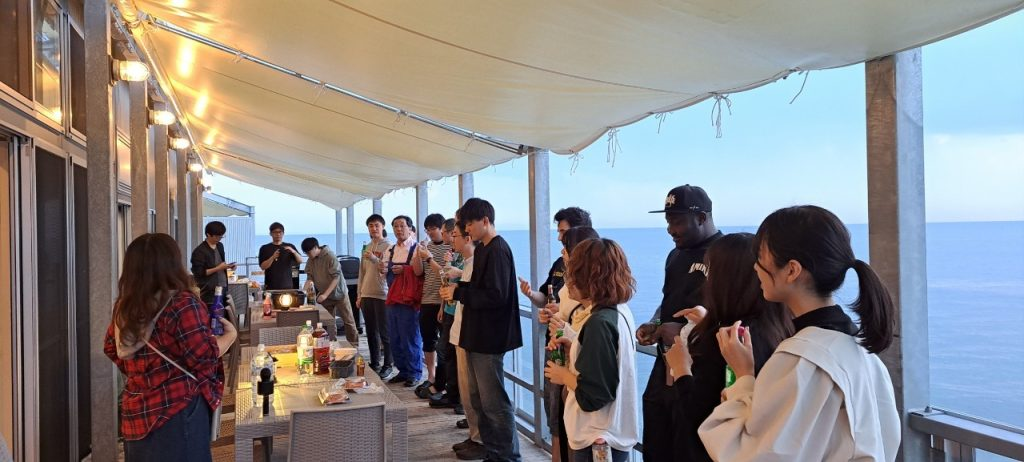
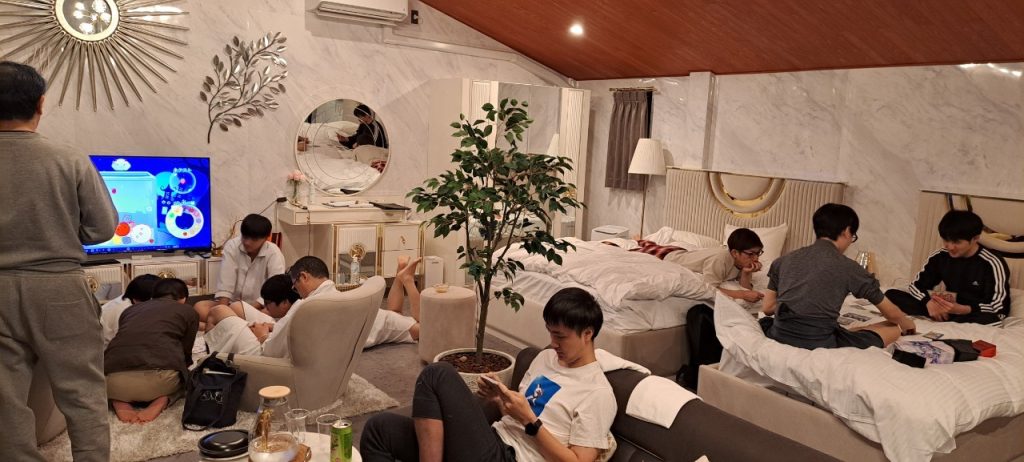
I would like now to talk about my impressions after joining the company. Dandelions has a warm and fun atmosphere, and I feel like all the employees and their superiors get along pretty well. Moreover, there are regular drinking parties and company trips, which allow all employees to deepen their relationships.

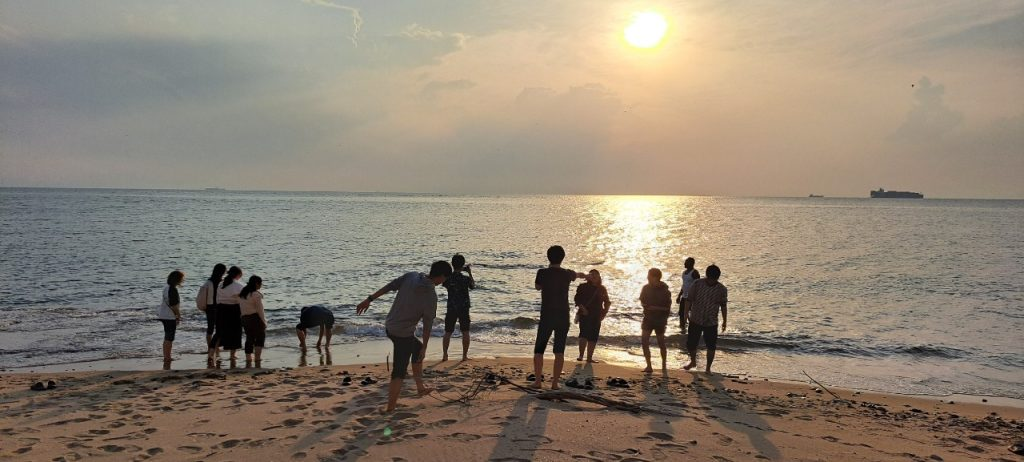
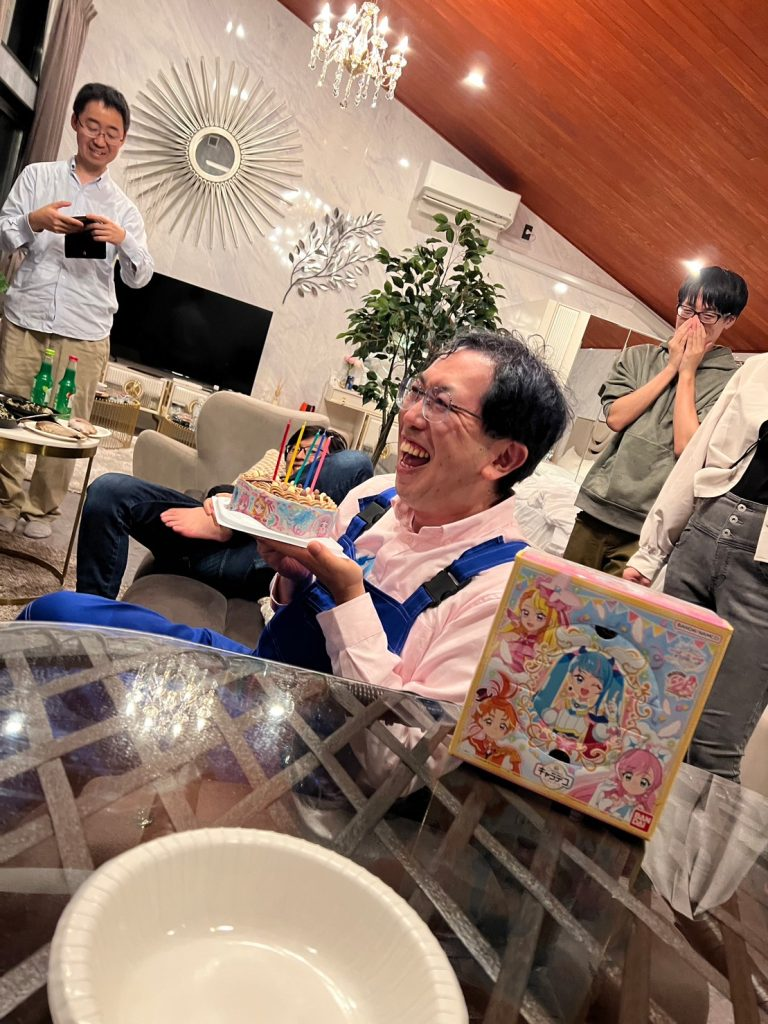
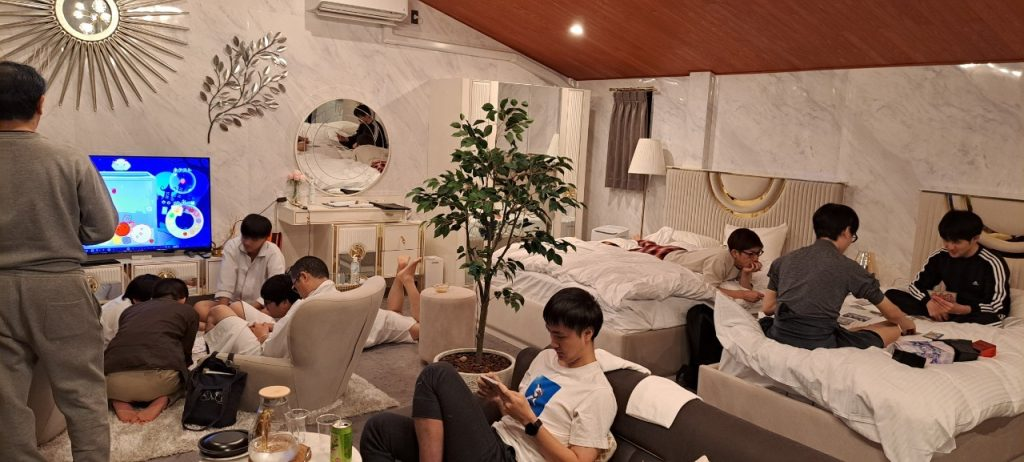
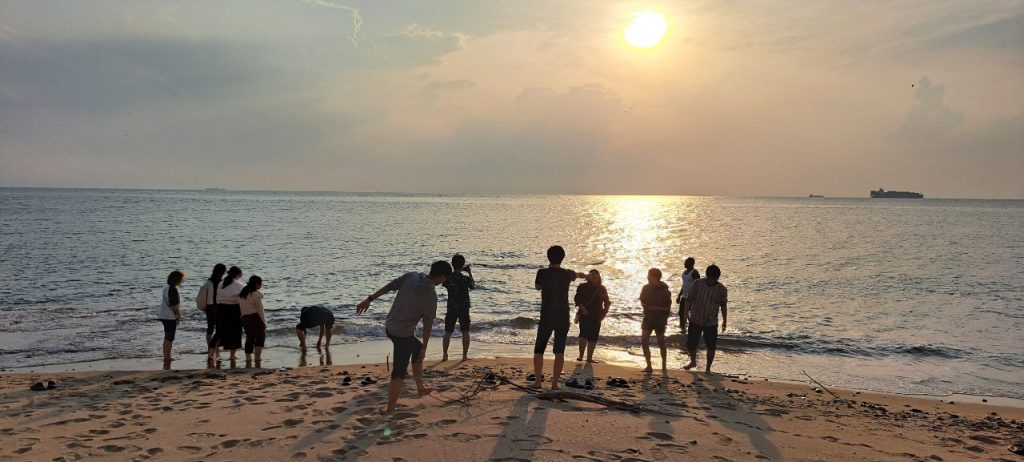
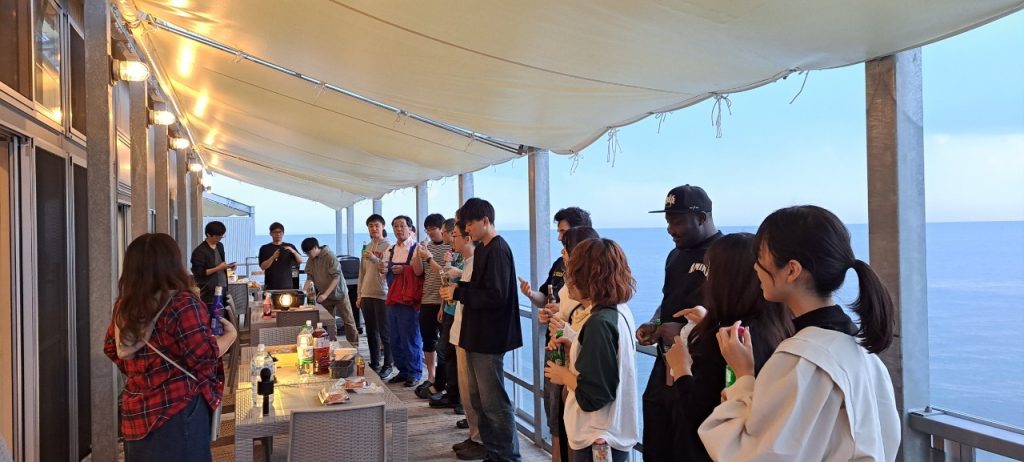
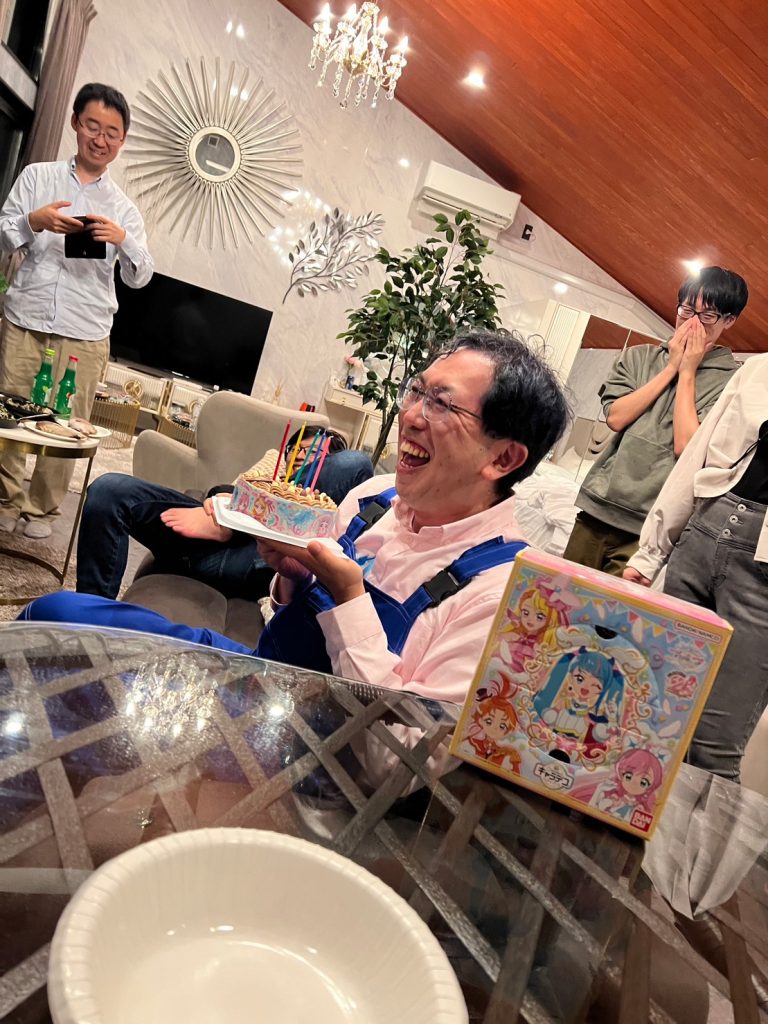
This is a picture that I am really fond of taken on the last company trip.

I am currently in my 4th year at dandelions, and I still have a lot to learn, and I often stumble, but we have created a positive environment and deep relationships. Therefore, it is easy for employees to talk to each other, and when I need help, I am always supported by my reliable boss and colleagues. I hope to continue to create a better working environment with everyone I work with.

社員紹介

 社員紹介記事を担当する「パンプ筋」です。今回は私が入社したきっかけと入社後の印象について、お話させていただきます。

 まず始めに、私がダンデライオンズに入社したきっかけからお話しさせていただきます。就職活動を始めた時、最初、応募するのは英会話講師一択でした。なぜなら、第一言語を英語とする外国人には、それが主流だからです。実際に、知り合いの外国人も、英語関係で働いている方々が多いです。英会話講師だけではなく、ITの仕事にも応募したきっかけは、交際している彼女の何気ない一言でした。「パソコンに強いし、IT関係に興味があるなら、ITの仕事にも応募してみたら?」この一言を聞いて、「日本で働いて、住み続けていきたい。IT人材が不足している世の中で、今、ITの仕事に就くことができたら、これから先、進む道も広がっていく。技術と経験を身に付けて、需要のある人材になりたい。」と考えました。そこから、IT関連の会社に何社か応募しました。面接を受けていくなかで、会社の温かい雰囲気を感じ、一緒に働けたらいいなと思ったのが、ダンデライオンズでした。無事、内定をいただき、働き始めて、現在、4年目になります。

 次に入社後の印象について、お話させていただきます。ダンデライオンズは、温かい雰囲気で楽しく、仲の良い社員や上司が多いという印象を持っています。定期的な飲み会や社員旅行があり、社員全体の仲を一層深めることができます。

前回、社員旅行で撮っていただいたお気に入りの写真です。

現在4年目ですが、まだまだ学ぶことも多く、つまずくことも多いですが、社員同士話しやすい環境、関係が作られており、何かあった時、頼れる上司、同僚にいつも助けられています。これからも、一緒に働く皆さんと共に、より良い職場環境を作っていけたらと思っています。

Recreation: “BBQ & Physical Exercise”

At Dandelions, we regularly hold “recreation” events to deepen friendships among our employees!

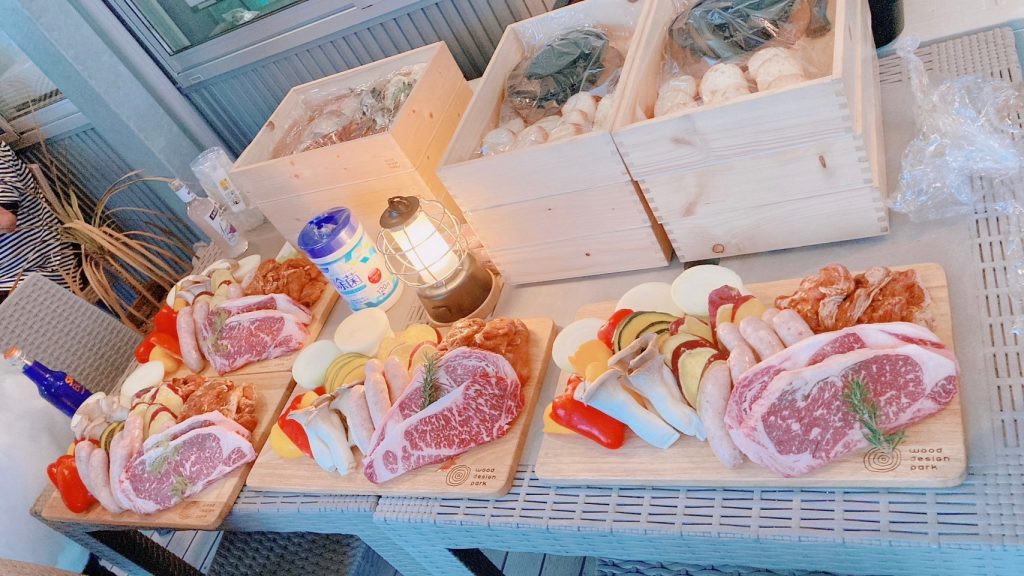
I am “Joji” from the third Unit. In this article, I would like to leave behind the gradually getting colder season and talk about this year’s warm and dazzling midsummer, and introduce the “recreation” the third Unit hold. On July 28, 2023, we gathered at the Shonai Ryokuchi Park and enjoyed BBQ and did some physical exercise. The main person in charge of this event was “Kuroma”.

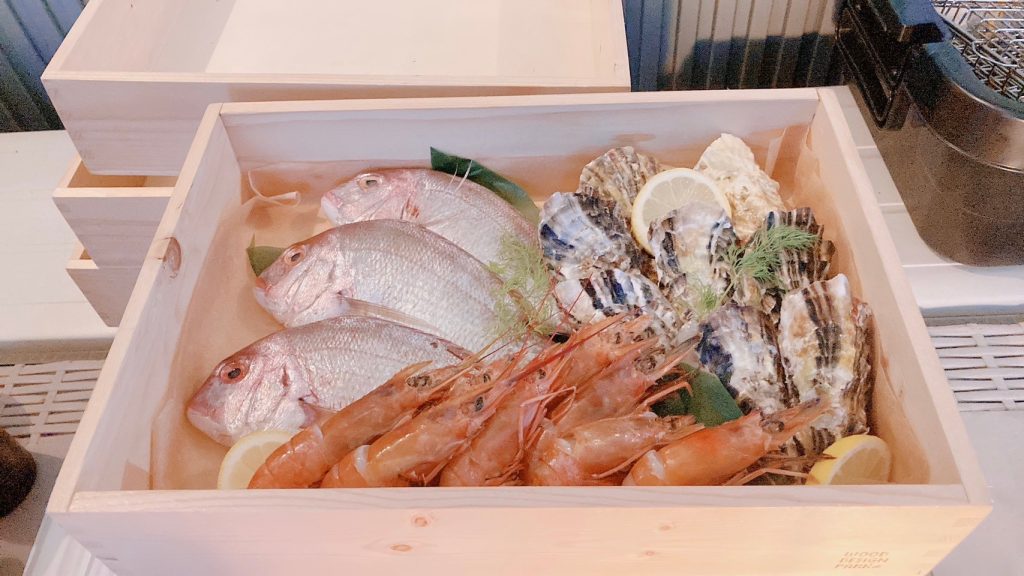
For the BBQ, “BBQ CANVAS Shonai Ryokuchi” helped us and prepared the BBQ site, equipment, and food, and we only brought in additional food. It was so much fun grilling and eating delicious meat and vegetables together! By the way, I recently learned the word nomikeshon (mix of the Japanese verb nomu which means “to drink”, and the word komyunikēshon, “communication”) and I thought that a tabenikeshon (mix of the Japanese verb taberu which means “to eat”, and the word komyunikēshon, “communication”) like this one would be enough to deepen our friendships.

The BBQ site
Grilling meat 🍖

The physical exercises were all kinds of games. For example, we played “Daruma-san ga Kotta” (the Japanese equivalent of the “Red light, Green light” game), and as a summer game, we also split watermelon. (Personally, I felt like “Oh, it’s summer in Japan!”)

Before splitting the watermelon…
…After splitting it!🍉

After the BBQ was over, we cleaned up the site and moved to the grassy area of the Shonai Ryokuchi Park, where we played dodgeball and other activities.

Just before we start playing dodgeball

Looking back on it now, several months later, it was a really fun event. As a member of the third Unit, which hosted the event, I was really glad that the weather was sunny and there were no major problems.

This is not the last Dandelions event, so stay tuned for the next one!

レクリエーション「BBQ&運動」

ダンデライオンズでは社員同士の親睦を深めるための「レクリエーション」を定期的に開催しています!

第3ユニットの「じょーじ」です。今回の記事では、だんだん寒くなりつつあるこの季節から暖かくて眩しい真夏に戻り、第3ユニット主催のレクリエーションを紹介したいと思います。夏なので外で遊べると考え、2023年7月28日に所内緑地公園に集まり、BBQと運動を楽しみました。ちなみに、今回のイベントのメイン担当は、第3ユニットの「クロマ」でした。

BBQは、「BBQ CANVAS 庄内緑地」さんにお世話になり、BBQ用のサイト、機材と食料を準備していただき、追加食料と遊び道具だけを持ち込みました。皆でおいしいお肉と野菜を焼き、食べるのは、とても楽しかったです!ところで、「飲みニケーション」という単語を最近知りましたが、今回のような「食べニケーション」でも十分に親睦を深められると思いました。(お酒もちょっと飲みましたが。)

サイトの様子
お肉BBQ

運動は、さまざまな遊びでした。例えば、「だるまさんがころんだ」をやったり、ボールで遊んだりしていました。そして、夏らしい遊びとして、スイカ割りもしました。(個人的には、「ああ、日本の夏だ!」と感じました。)

スイカ割り
見事に割った!

BBQが終わった後、サイトを片付け、所内緑地公園の芝生広場に移動し、ドッジボールなどをしました。

ドッジボール開始直前

数か月後の今に振り返っても、とても楽しいイベントでした。そして、主催した第3ユニットのメンバーとして、天気が晴れ、大きな問題がなかったことを、本当に良かったと思います。

ダンデライオンズのイベントがこれで最後ではないので、次回の紹介をお楽しみに!

技術者ブログ:(OutSystems)アプリケーションのモバイルアプリ化

技術者ブログとして日ごろ取り組んでいる学習内容をご紹介します。
今回は、ローコード開発をテーマにしている第2ユニットです。

今回のテーマ:『アプリケーションのモバイルアプリ化』

前回は、Advanced Excelを使用してOutSystems内の画面データをExcel出力する方法についてご紹介しました。
今回は、OutSystemsで作成したアプリケーションをスマホなどのモバイルアプリとして使用できるようにする方法をご紹介します。

モバイルアプリ化ってなんだか大変そう…

モバイルアプリと言われてパッと思い浮かんだのは、App storeやGoogle Playストアなどからインストールできるものでした。
(アプリとしてリリースするまでに手間や時間がかなりかかるみたいだし、アップデートもすぐに反映できないし、そもそもアプリの利用用途的にストアで配布までしなくても…うーん…。)
と、最初はモバイルアプリ化に対してちょっと身構えましたが、思っていたよりも手軽にモバイルアプリ化することができます!

OutSystemsでは、アプリストアを経由してインストールするアプリ(こちらはネイティブアプリといいます)を配布する方法のほかに、PWA(プログレッシブWebアプリ)として配布する方法が用意されています。

PWA(プログレッシブWebアプリ)とは?

プログレッシブWebアプリとは、スマホなどモバイル端末向けに設計されたWebサイトやWebアプリを、ネイティブアプリと同じように扱えるようにする技術のことです。PWAには以下のようなメリットがあります。
・アプリストアを利用する必要がない
・Webサイト上のコンテンツでありながら、アプリと似たような使い方ができる
・iOS/Androidで同じ仕様のものが使える
等々…

ここからは、OutSystemsで作成したアプリケーションをPWAとしてモバイルアプリ化する手順をご紹介します。

モバイルアプリ化してみよう:準備編

最初からモバイルアプリ化を見据えてアプリケーションを作成するときは、アプリケーション新規作成の際に「Tablet App」または「Phone App」を選択します。

そのあとは、画面やロジックを作成してアプリを作っていきます。

アプリケーションを新規作成する際に表示される画面

モバイルアプリ化してみよう:配布編①(OutSystems Service Studio)

アプリが完成したら、いよいよアプリケーションをモバイルアプリ化します。
まずは、OutSystems Service Studioで配布の準備をします。

①モバイルアプリ化したいアプリケーションを選択します
②「Distribute」を選択します
③「Progressive Web App(PWA)」の下にある「Distribute as PWA」をオンにします
④アプリケーションのQRコードが発行されます

モバイルアプリ化してみよう:配布編②(モバイル端末)

ここからは、ユーザのモバイル端末での操作になります。
今回はiOS(iPhone)の画面をご紹介しますが、Androidでも操作に大きな差はなくインストールすることができます。

①カメラ等で発行したQRコードを読み取りブラウザで開きます
②Safariの「追加・共有・保存」アイコン(画面下の真ん中)をタップします
③「ホーム画面に追加」をタップします
④名称を入力して「追加」をタップします

以上の手順を踏んで、ホーム画面にアプリケーションが追加されれば完了です!

「Reactive Web App」でアプリケーションを作成していたら…

最初にReactive Web Appを選択したけど、モバイルアプリとして使いたい…!と思うこともあるかもしれません。
ただ、Reactive Web AppにはDistributeタブはなく、PWAとしてモバイルアプリ化することはできません。また、アプリケーションのタイプを後から変更することは、OutSystemsの仕様上不可能です。
しかし、疑似的にモバイルアプリ化のようにする方法を併せてご紹介します。

①アプリケーションをブラウザで開き、「QRコードを作成」アイコンを選択します
②作成されたQRコードをモバイル端末で読み取り、配布編②の操作をします

もちろんアプリケーションの作られ方が違うので挙動等は違いますが、ホーム画面から直接アクセスできる便利さなどはReactive Web Appでもカバーすることができます。

まとめ

今回は、OutSystemsで作成したアプリケーションをスマホなどのモバイルアプリとして使用できるようにする方法をご紹介しました。
アプリストアで配布するモバイルアプリ化だけでなく、PWAで素早く手軽にアプリケーションをモバイルアプリ化することも可能ですので、アプリケーションの利用用途などに合わせて活用してみてください!

第2ユニットではこれからもOutSystemsなどのローコードツールを使った技術者ブログを展開していきますのでお楽しみに。

Employee Introduction

Hi!
I am “Michi” and I will introduce myself in this post!
My last post (here) was in October 2020, so it has been about 3 years since I last posted. Time passes quickly.

Current work

I have been working with my current client since June 2020. I was mainly responsible for system maintenance, but now I am participating in development projects.

My daily schedule looks like this:

09:00: I start working
09:15: Meeting within your company
09:30: Meeting for the entire customer team
12:00: Lunch break
13:00: I restart working
13:05: Development PJMT (onsite)
14:00: Development PJMT (offshore)
18:00: End of my day

Currently, I work from home 4 days a week and go to work once a week. Recently, development has reached a climax, and we have many meetings. In between meetings, I receive deliverables from offshore and test them, and develop on-site batch functions. When I want to exercise, I go to the gym during my lunch break.

I moved

I moved in July of this year. There are various points to consider when choosing a place, such as rent, area, conditions of the building itself, etc. What do you guys prioritize?
Apart from the points mentioned above, my deciding factor was that there was a supermarket nearby. If I were in the past, I do not think I would have paid much attention to this point. I am sure this is due to the fact that I had more opportunities to cook at home due to the coronavirus.
The neighborhood seems to be a quiet residential area, but there is a school nearby. When I hear the lively shouts of students as they work in club activities or physical education classes, I feel a warm feeling of youth.

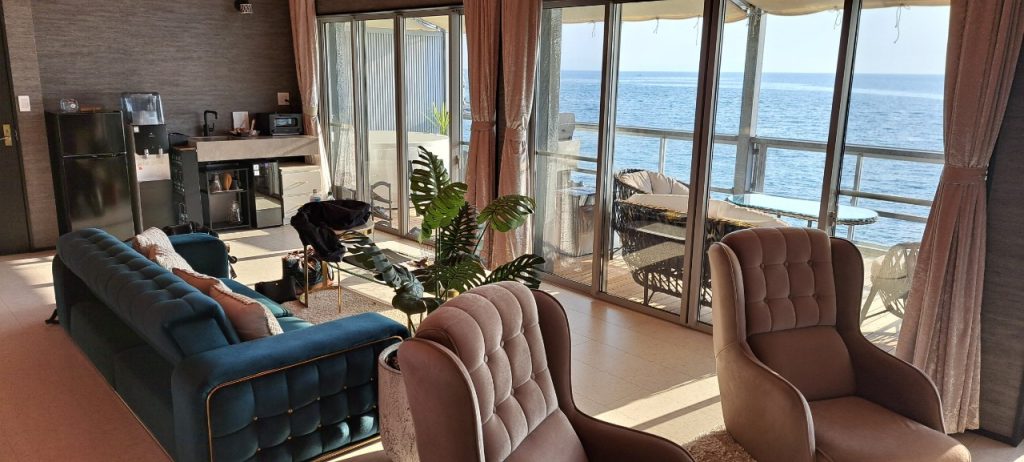
The view from my balcony

I went to Ise

I went to visit Ise-Jingu for the first time in a while.
I was blessed with good weather, and visiting the temple felt very refreshing. I always forget the etiquette of washing my hands and visiting the shrine, so I imitated what other worshipers were doing. I bought an amulet to ward off evil spirits at the Kagura Hall in the Naiku. (Next year is supposed to be a “harbinger of a great disaster” for me, according to the mae-yaku belief in Japan).
Afterwards, I went to Okage Yokocho to eat while walking and had a great time.

Picture I took from the opposite shore of Okage Yokocho

Please look forward to the next employee introduction!

社員紹介(5-3)

閲覧いただきありがとうございます。
今回の社員紹介記事を担当します「みち」です。3度目の登場です。

前回の投稿(コチラ)が2020年の10月ですので、約3年振りの投稿となります。月日が経つのは早いものです。

現在の業務

2020年6月から現在のお客様の下で業務をしています。

システムの保守を中心として担当していましたが、現在は開発案件に参画しています。

とある一日のスケジュールはこんな感じです。

09:00 業務開始
09:15 所属会社内MT
09:30 客先チーム全体MT
12:00 お昼休み
13:00 業務再開
13:05 開発PJMT(オンサイト)
14:00 開発PJMT(オフショア)
18:00 業務終了

現在は週4在宅、週1出社という感じです。最近は開発も佳境を迎えており、打合せが多いですね。打合せの合間に、オフショアからの成果物を受入してテストをしたり、オンサイト側のバッチ機能の開発を行ったりしています。体を動かしたいときには、お昼休みの間にジムに行きます。

引っ越しをしました

今年の7月に引っ越しをしました。家賃、エリア、建物自体の条件・・・などなど、お部屋選びには様々なポイントがあると思いますが、皆さんは何を優先されますか?

私の決め手は上記のポイント以外ですと、”スーパーが近くにあること”でした。昔の自分だったら、そこまで意識しないポイントだったと思います。きっとコロナの影響で自炊の機会が増えたことが要因ですね。

近隣は閑静な住宅街といった感じですが、近くに学校があります。学生たちが部活や体育の授業に勤しんでいる際の活発な掛け声を聞くと、青春だなぁと暖かい気持ちになります。

バルコニーから見える学校

伊勢に行ってきました

久しぶりに伊勢神宮に参拝をしに行ってきました。

天候にも恵まれ、お参りをすることでとても清々しい気持ちになりました。

手水や参拝の作法はいつも忘れてしまうので、他の参拝者の見様見真似をしました。

内宮の神楽殿で厄除けの御守りを購入しました。来年は前厄です。

その後、おかげ横丁で食べ歩きをし、楽しいひと時を過ごしました。

おかげ横丁の対岸から撮影

次回の社員紹介もお楽しみに!

Internship Experience Story ② August 2023

In August 2023, we held an internship with two Japanese students and four international students. In this article, we will introduce the experiences of the participants.

Nepali international student (man)

The internship at Dandelions was a very enjoyable experience. I met people from various countries and became friends with them. At the same time, I learned a lot as an intern. Participating in this internship training provided me with an opportunity to learn business manners necessary in the world of work. I studied computer science in high school and came to Japan to study in 2019. I am currently studying IT as a student at Aichi Sangyo University.

On the first day of the internship, we had to decide on captions for the LINE stamps of the company. I experienced working as a group, which was really interesting. Next, we worked on making our own business cards. We had to write a short self-presentation, including our past, present, and future. It was not easy to compile information about myself, but thanks to that, I was able to know more about myself.

Translating stamps

On the second day, we had to taste sweets we bought and to write our impressions for the EC site. I learned that tasting the sweets and writing reviews about them was to make it easier for customers to understand what flavor, texture, aroma the sweets have.   

On the third day, we practiced exchanging business cards, which is not really something that you learn at school. After that, there was an explanation about web design. I had studied web design and HTML at school, but the explanations given during the internship were completely different from the ones given by school teachers who were limited to books. In the afternoon, we worked on creating personas and creating a website. I usually do presentations and university assignments by myself, but it was also a great experience to create something with my fellow interns.

Korean international student (woman)

I participated in this internship with the goal of experiencing something new. I was nervous as it was my first internship, but I had a great time working with other interns and discussing about not only IT-related knowledge but a variety of things.

On the first day, we decided on the captions for the LINE stamps. Some captions came to mind right away, while others did not, but after thinking about it as a group, we were able to decide on captions that were suitable for the stamps.

Deciding on captions for the LINE stamps

On the second day, we did a test experience. The test consisted on checking if a website was working properly or not. It was a good opportunity to understand the importance and the difficulty of website testing.

On the third day, we did web design. I realized that marketing research and persona setting are important before starting a design. Through group discussions, we worked on creating a persona that could convey the charms of the Tokai region. Although there were some tasks that required specialized knowledge, I believe that by working together as a group, we were able to create a highly complete web design.

Web design meeting

The Dandelions internship was filled with new experiences, and I was able to achieve my own goals. I am glad that I was able to work on LINE stamps captions, web test, and web design, which I would not normally have the opportunity to.

Vietnamese international student (woman)

On the first day, we received an explanation of the internship

In August 2023, I participated in an internship with Dandelions. This experience was very meaningful and I learned a lot.

First of all, the actual work experience not only allowed me to implement the knowledge I had learned at school, but also provided me with practical knowledge that could not be learned from textbooks or classes. During the practical experience, I understood the importance of project progress management and team cooperation, and had the opportunity to improve my problem-solving skills during the week’s work.

Additionally, through communication with team members and supervisors, I learned the importance of manners and professionalism as a worker. I realized that proper reporting, proposal-making, and collaborative skills are essential to success in a workplace.

On the third day, we practiced exchanging business cards

The internship at Dandelions was a big step in my career in Japan. It was an experience that bridged the gap between theory and practice in the field of IT management, exposed me to the latest trends and technologies in the industry, and gave me an opportunity to practice my skills. I am confident that this will lead to my future growth.